Publish and versions
Translating and reviewing change the working state of a document. What your site or app reads is the last published version, and it changes only when someone publishes. This page covers the publish panel, what it does with languages that are not ready, and the versions each document keeps. Concepts has the vocabulary shared with Keys.
Publish the project
Publishing covers every document of the project in one action; there is no publish per document. Select Publish at the foot of the document list.
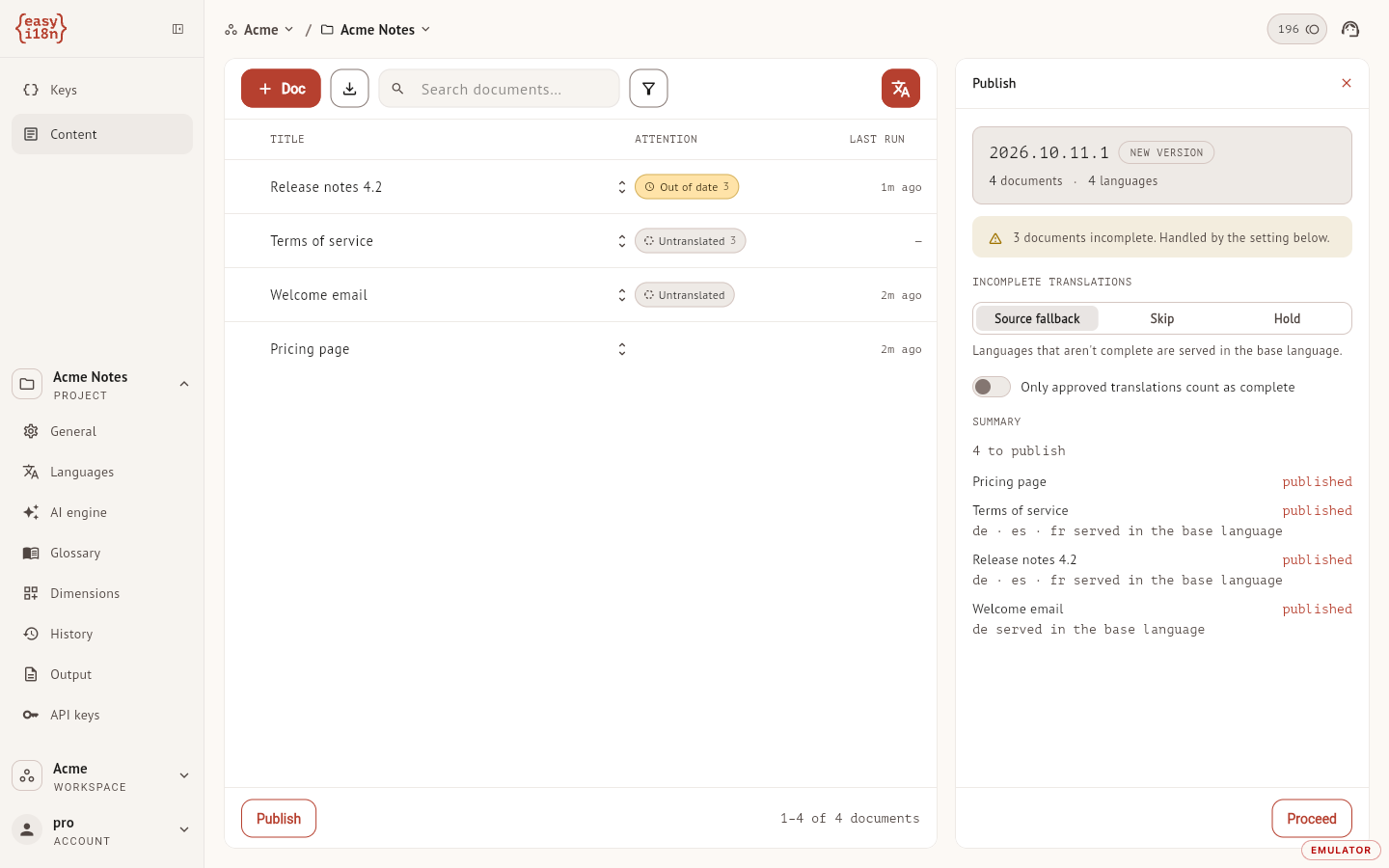
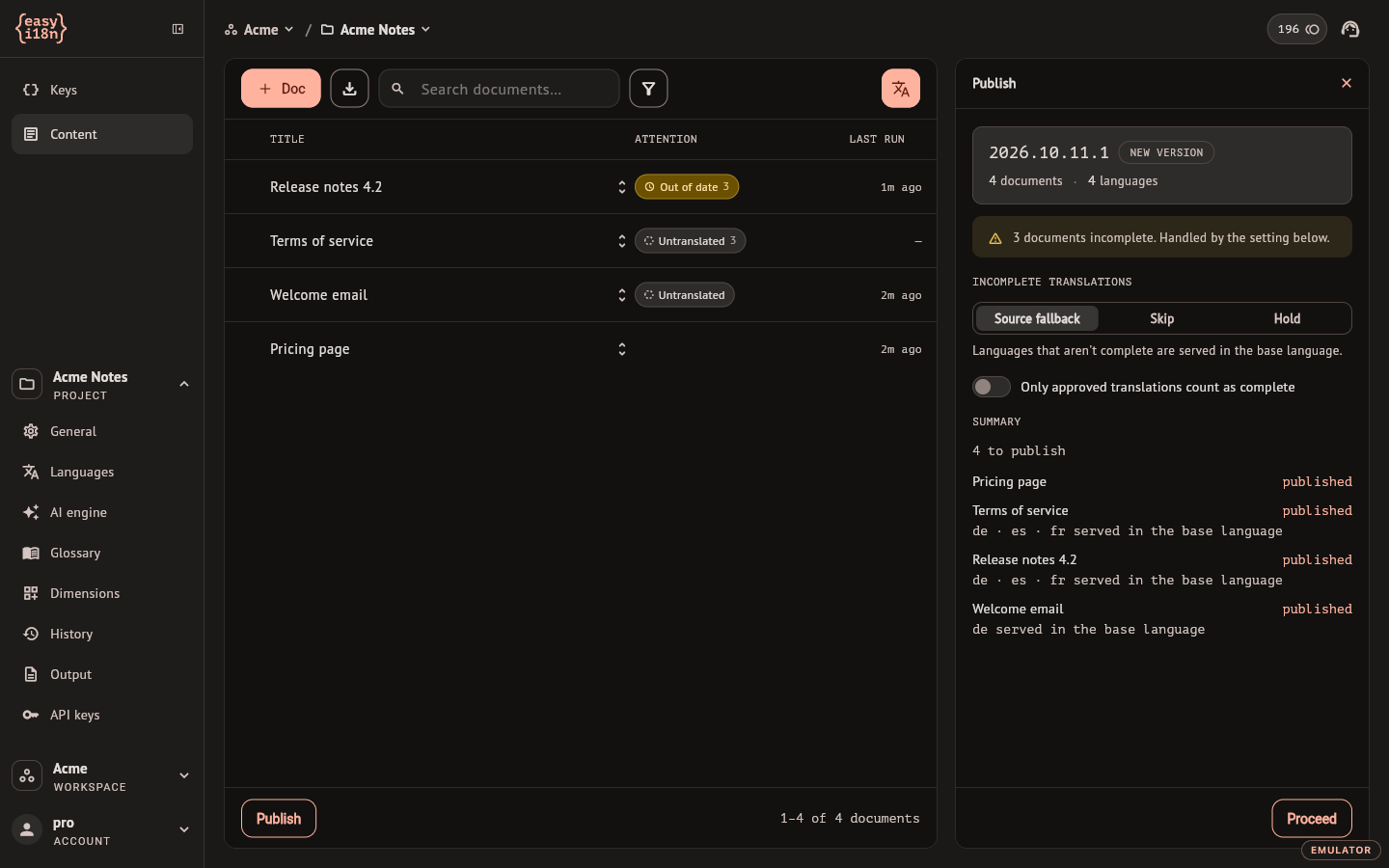
The panel opens with a preview of what the publish would do and writes nothing until you select Proceed. From top to bottom:
- The version this publish would create, named
YYYY.MM.DD.N, with the number of documents and languages. The number is a prediction: another publish on the same day can take it first. - A warning with the count of documents that are not fully translated.
- Incomplete translations, which decides what happens to those.
- Only approved translations count as complete, which raises the bar.
- Summary, one line per document.
Two conditions apply. Publishing needs the project owner or an editor with publishing rights, described in Members and roles; for anyone else the panel shows the refusal where the summary would be. And the project needs at least one output format: without one the panel shows a note with a link to the Output settings and Proceed is unavailable.
After Proceed the dashboard confirms with the version it created. When no document had changes, it says so and no version is created.
When a language counts as complete
A language of a document is published as its own translation when all of this holds:
- Every block has a translation and none failed in the last run. For a free-form language, the text is not empty.
- Nothing is out of date, or a person confirmed the translation after the source changed. The still-valid mark does that, and so does signing the language again; see Runs and review. A signature given before the source changed does not count: that language is out of date until someone confirms it.
- With Only approved translations count as complete on, the language is signed Approved.
The base language is always complete.
What happens to incomplete languages
Incomplete translations has three settings. The choice applies to this publish and starts on Source fallback each time the panel opens.
| Setting | A language that is not complete |
|---|---|
| Source fallback | Is served with the base-language text of the document |
| Skip | Is left out of the published document |
| Hold | Stops the whole document: it keeps the version it is serving now |
The replacement is always a whole language. A published document never mixes translated and untranslated blocks in one language.
Only approved translations count as complete does not hold anything back by itself. It changes which languages count as complete, and the setting above decides what happens to the rest: under Source fallback, an unapproved language is served in the base language. When the workspace requires approval before publishing, the switch is on and locked.
The summary shows the outcome before you commit to it:
| Line | Meaning |
|---|---|
| published | The document gets a new version. Under it, the languages served in the base language and the ones left out |
| held | The document keeps the version named on the line, or "not served yet" if it has none |
| unchanged | Nothing changed since the version the document is serving |
| skipped | The document was deleted while the publish was running |
Where published documents are read
Published documents are read through the authenticated API with a project API key, and not from the public delivery network that serves key bundles. The REST API overview links to the reference. A document that is deleted stops being served at once, whatever it had published.
Versions of a document
Every publish that changes a document adds a version to it. Open the document, open the Translation panel and select the Published tab.
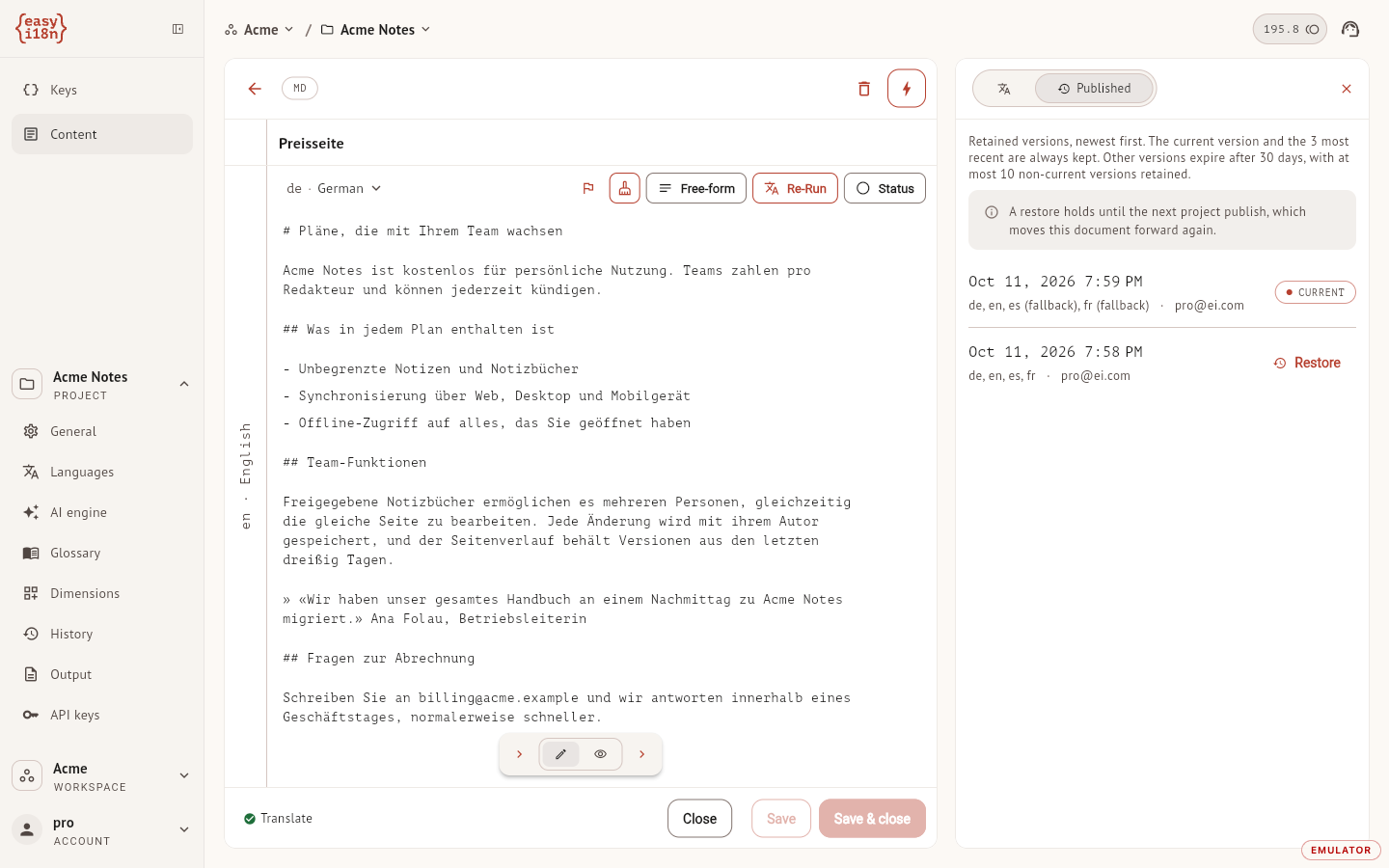
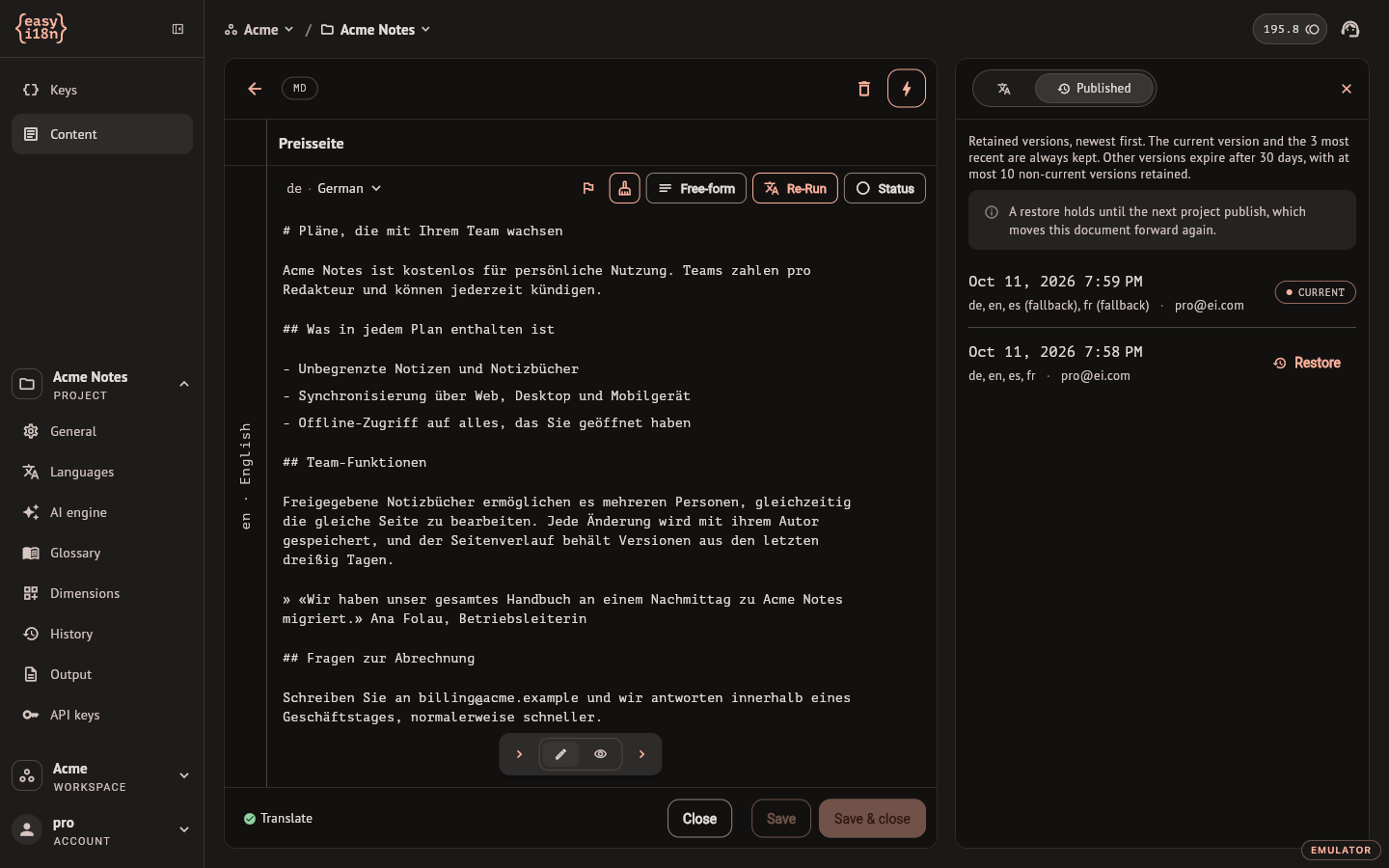
Versions are listed newest first, each with its date, its languages and who published it. A language followed by "(fallback)" was served in the base language in that version. The version the API is serving carries Current.
A document keeps its current version and its three most recent ones whatever their age. Other versions are removed after 30 days, and at most ten versions besides the current one are kept.
Restore a version
Restore, on any version that is not the current one, makes the API serve that version of the document again. It asks for confirmation and needs the same rights as publishing.
- Your working translations are not touched. Restore moves what is served and nothing else.
- The restore holds until the next publish of the project, which moves the document forward again if it has changes.
- It applies to one document. The other documents of the project keep serving what they were serving.
- When the workspace requires approval before publishing, a version that contains translations without a recorded approval cannot be restored.
- A restore is refused while a publish of the project is running.